Form builder features
Everything you can do with Agent002 Forms, on every plan unless it says otherwise. And, just as important, everything your forms never do.
Build
Make the form you need in minutes, from a template or from scratch.
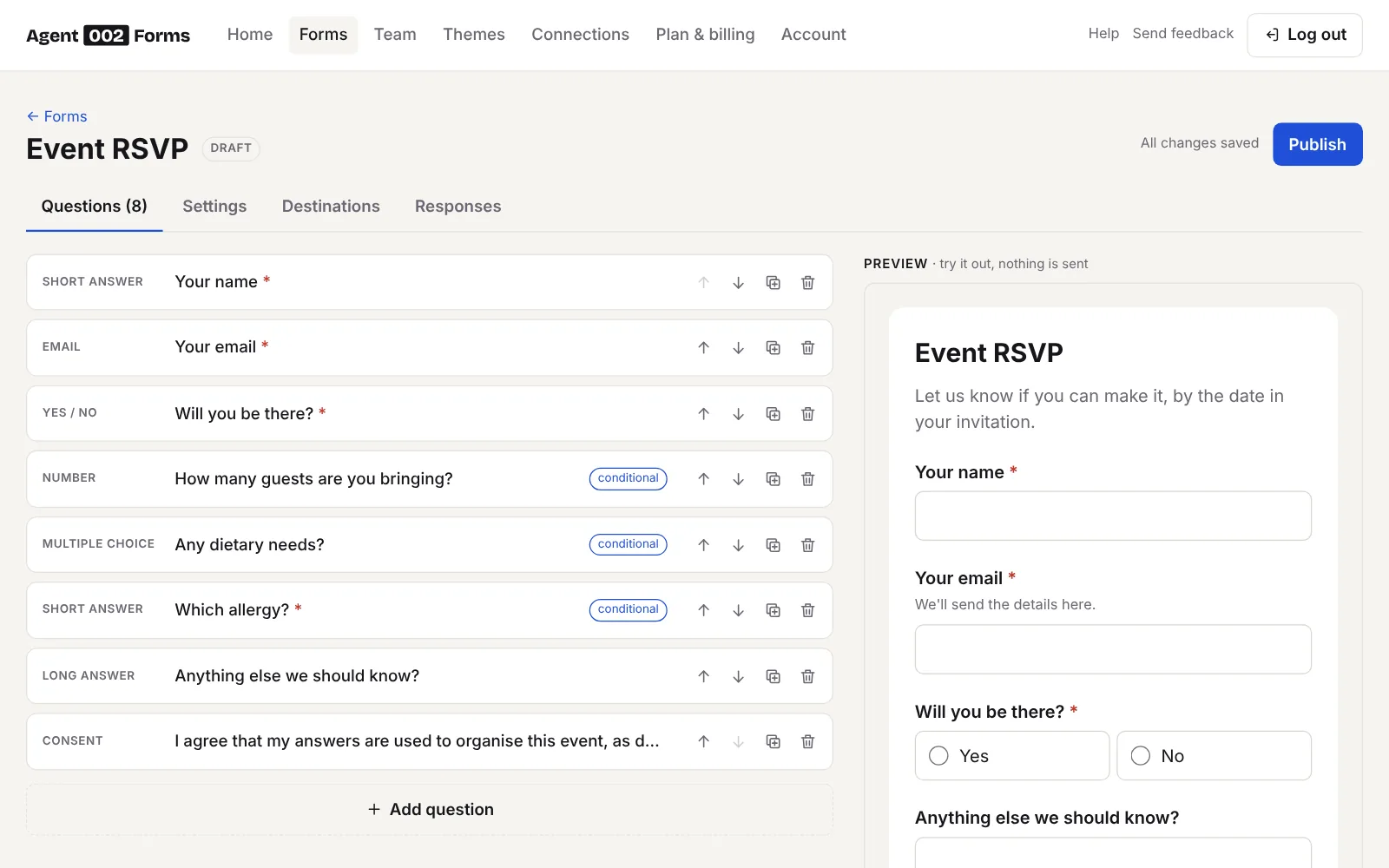
14 question types
Short and long text, email, phone, number, date, time, web address, one choice (buttons or a dropdown), several choices, yes or no, consent boxes, star ratings from 3 to 10 stars, and number scales from 0 or 1 up to 10, with words at each end.
Conditions
Show a question only when an earlier answer calls for it: an allergy question for people who said yes, an email field for people who want a reply. Hidden questions are neither checked nor saved.
Pages
Split a long form into pages with titles, Back and Next buttons and “Page 2 of 3”. Each page is checked before people move on.
Headings and text
Explain things between questions, from a short note to a full information page for a study.
Rules for answers
Required questions, minimum and maximum lengths, number ranges and checks for email addresses and web links.
Templates
Nine ready-made forms to start from, every question yours to change.
Preview and history
See the form as people will before you publish. Every published version is kept, and you can bring any of them back.
Look like you
Forms that match your brand, without loading anything from other sites.
Eight themes
Ready-made looks on every plan, each with a dark mode that follows the visitor’s device.
Your own themes
Your colours, font, corners and logo, from Starter. Edit a theme and every form using it changes with it.
Custom CSS and no branding
Fine-tune everything with CSS, use one logo on all forms, and remove the “Powered by Agent002 Forms” line, from Team. About themes
Get the answers
Every answer in your account, and wherever else you need it.
Email notifications
An email to the team members you choose the moment someone answers, or one daily or weekly digest with the latest answers. Reply, and it goes to the person who wrote.
Google Sheets
A new row for every answer, in a spreadsheet created for the form. Set it up
Webhooks
Answers as JSON to any address, signed so you know they came from us, with automatic retries and a log of every attempt. Starter and up. Webhook guide
Make, n8n, Zapier and UiPath
Step-by-step guides for Make, n8n and Zapier, and a direct connection to UiPath Orchestrator queues. Starter and up.
Summary and charts
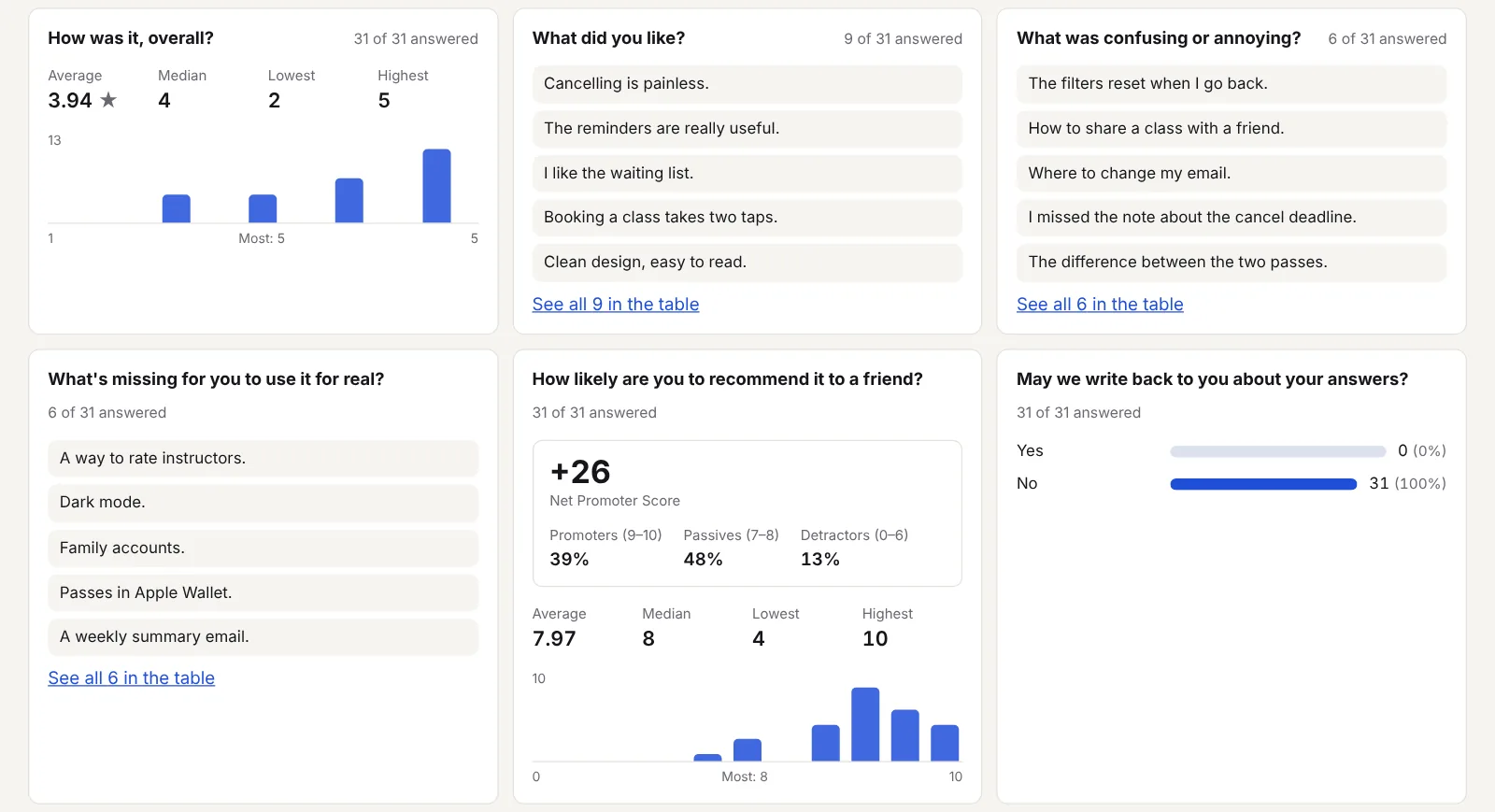
Each question summed up: counts for choices, average and median for ratings and scales, and the Net Promoter Score for 0–10 scales.
Export
Download answers as CSV or Excel, for a spreadsheet, SPSS or R.
Collect safely
Privacy and security built in, not bolted on.
No cookies, no tracking
Forms set no cookies, use no pixels and load nothing from other companies. We don’t store respondents’ IP addresses or device details.
Spam protection without a CAPTCHA
The visitor’s browser solves a small puzzle before sending, which costs bots far more than people, and a hidden field catches simple bots. Nothing to click, nothing from Google.
Answers that expire
Choose how long to keep answers: up to 30 days on Personal, 90 days on Starter and a year from Team. Older ones are deleted automatically, on our side too.
Your privacy notice, one click away
Link your privacy notice at the bottom of the form (recommended for businesses), and forms asking for passwords or card numbers are blocked.
Stored in the EU
On our servers in Germany, under data processing terms that apply to every account, with every sub-processor listed.
Work as a team
Share the work, and the inbox.
Invite your team
Up to 3 people on Starter, 10 on Team and 25 on Scale, building and managing forms together.
Choose who hears about what
Pick, per form, which team members get an email for each answer.
One place for every form
All your forms, answers, themes and connections in one account, with invoices in euros or, for Romanian companies, in lei.
Make your first form in five minutes
Every feature here is in the 14-day trial, and most are on the free Personal plan. Compare plans